Dit artikel is in het Engels geschreven. Hulp nodig bij dit onderwerp? Neem contact op.
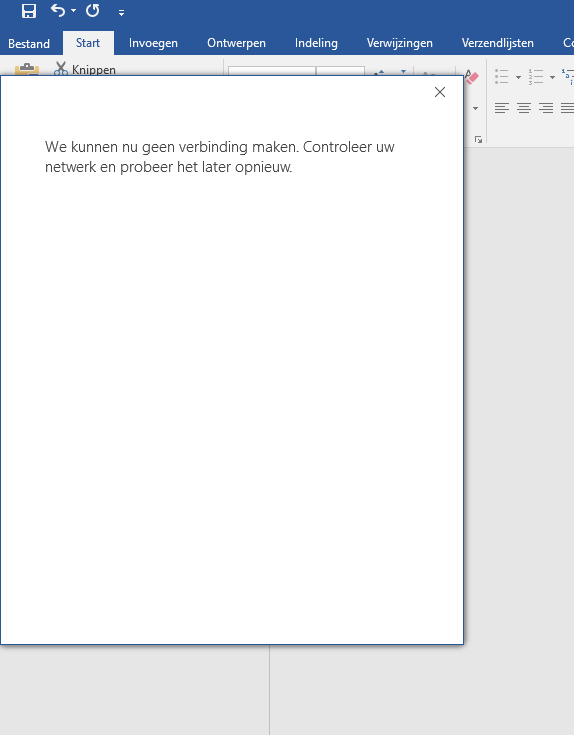
Sometimes when Microsoft Office applications give errors, the solution is not always logical. We stumbled upon the issue that all sorts of Microsoft Office applications, such as Word, Skype and Outlook, would give the error message: "WE ARE UNABLE TO CONNECT RIGHT NOW. PLEASE CHECK YOUR NETWORK AND TRY AGAIN LATER."
To troubleshoot this issue we tried multiple solutions, such as the EnableActiveProbing key and making sure all the URLs were reachable from the client. No issues were found there. I remembered that a while back a client had similar issues, which were fixed by either enabling a specific service or restarting it. With some trial and error we finally found the culprit: Network Location Awareness.
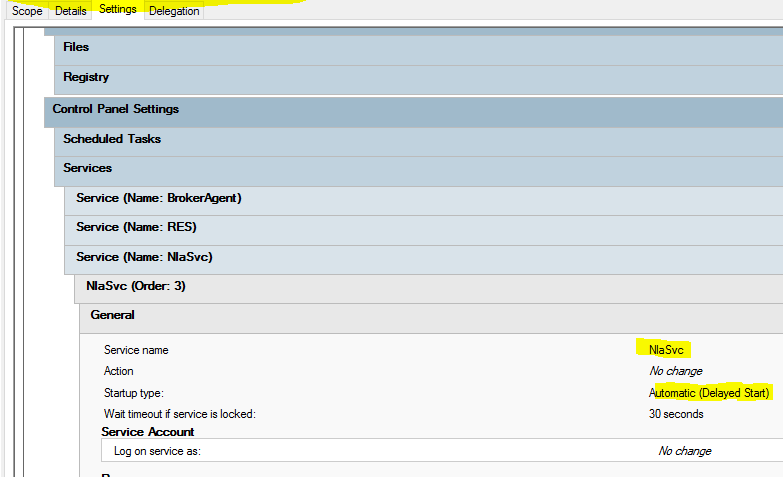
To fix the error message it is best to set the service to Automatic (Delayed Start), or make sure the service is restarted after boot (plus a few minutes). Do mind that the App-V service is also part of the Network Location Awareness service dependencies. See the source where this idea came from: mcbsys.com